
Download FilmoraGo – video editing app, free video editor, mobile video maker, video effects, video trimmer, video maker for social media
Overview
FilmoraGo is a mobile-focused video editing application designed for users who want to create engaging videos directly from their smartphones. The software enables quick and intuitive editing of video clips, making it ideal for both casual content creators and those looking to enhance personal or social media content. With its emphasis on speed and ease of use, FilmoraGo allows users to record or import footage and immediately apply creative enhancements such as filters, transitions, music, and text overlays.
The app supports a wide range of real-world usage scenarios, including editing home videos, crafting short-form content for platforms like Instagram and TikTok, and producing cinematic-style clips with minimal effort. It is particularly suited for individuals who value simplicity without sacrificing creative flexibility. The developer, Wondershare, is known for multimedia software solutions, though specific details about the company’s broader product ecosystem were not provided.
FilmoraGo operates entirely on mobile devices, offering a seamless experience for users who prefer touchscreen interactions. The absence of watermarks and the availability of unlimited clip length enhance its appeal as a free tool for personal video projects.
Key Features & Capabilities
- Intuitive Touch-Based Editing – Users can edit videos using simple taps and swipes, enabling quick adjustments to clips without requiring prior editing experience.
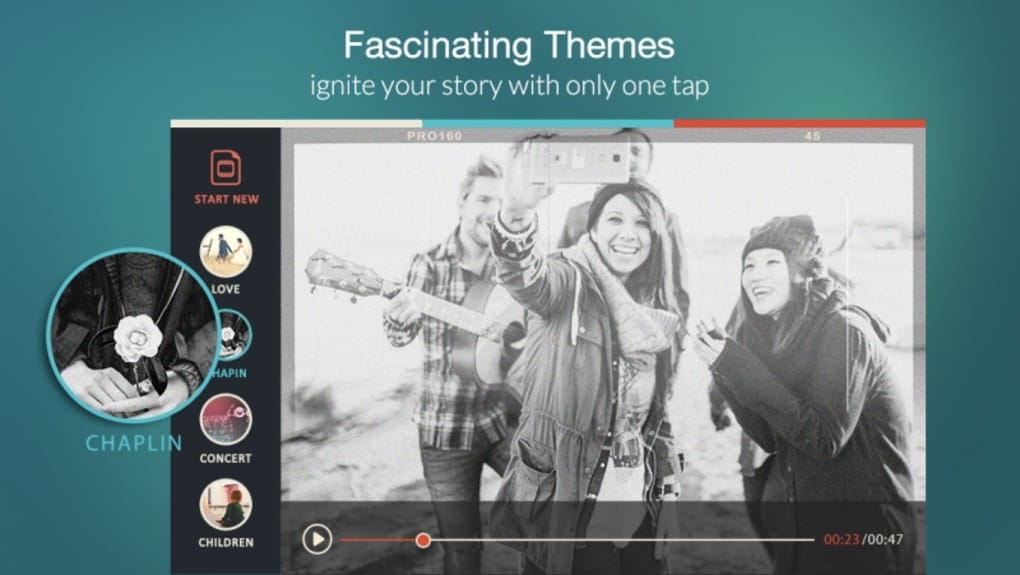
- Pre-Set Themes and Templates – A library of ready-to-use themes allows users to apply consistent styles, including music, transitions, and effects, with a single tap.
- Advanced Editing Tools – Features such as reverse playback, clip trimming, and text insertion give users greater control over their final output.
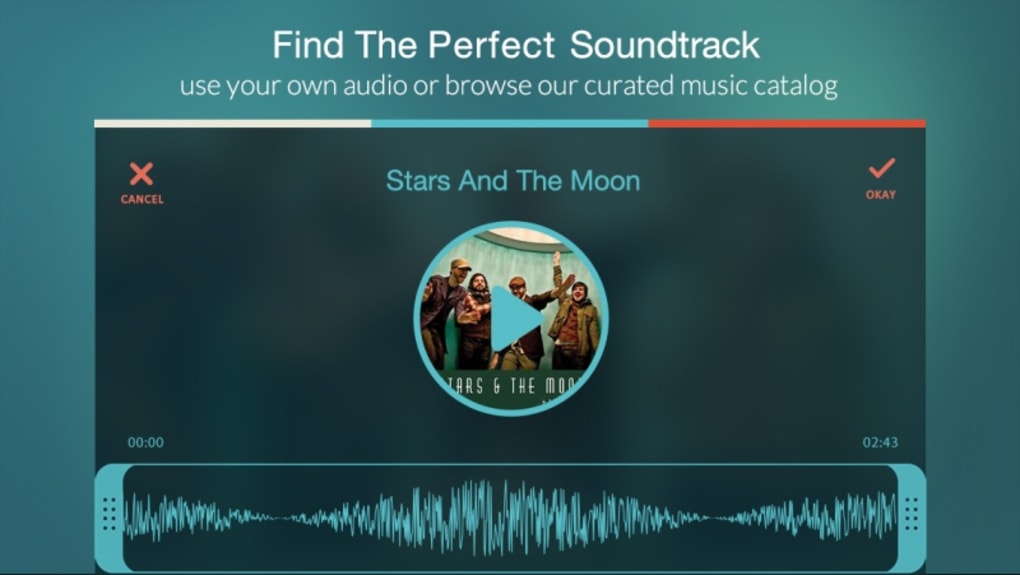
- Filter and Music Integration – Built-in filters and a curated music library help users enhance mood and pacing, ideal for storytelling and social media content.
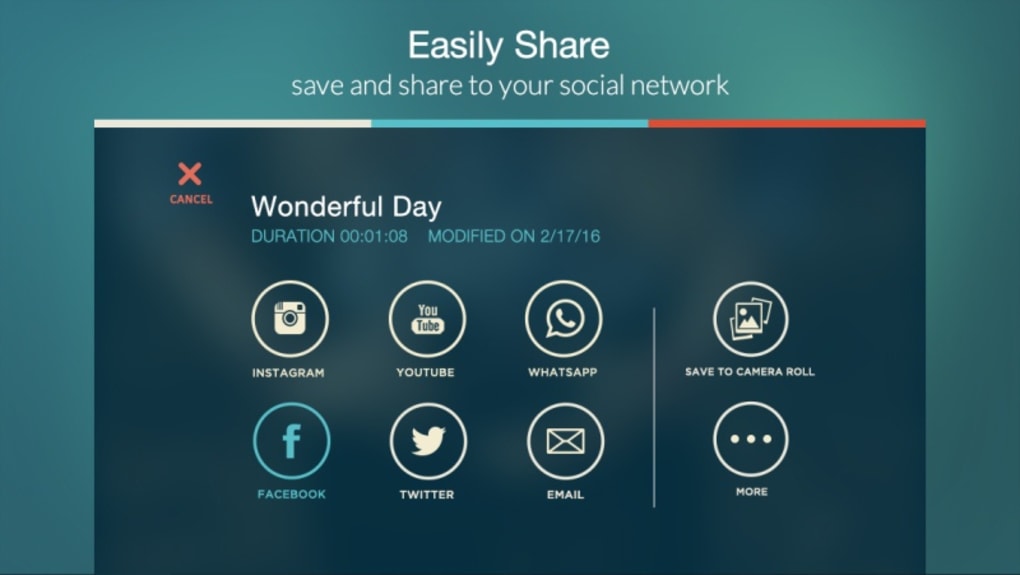
- Direct Social Media Sharing – Videos can be exported and shared directly to platforms including Instagram, Facebook, YouTube, WhatsApp, Vimeo, and email.
- Unlimited Clip Length – There are no restrictions on the duration of video clips, allowing for longer-form content creation within the app.
These capabilities empower users to transform raw footage into polished videos with minimal effort. For example, a user can record a travel vlog, apply a cinematic theme with background music, trim unwanted sections, and upload the result to YouTube—all within minutes. The app’s design prioritizes workflow efficiency, ensuring that core editing tasks are accessible from the main interface. While the core functionality is fully available at no cost, premium content such as additional themes and filters is accessible through in-app purchases. This model allows users to enjoy full editing freedom without financial commitment.
User Interface, Workflow & Performance
FilmoraGo features a modern, clean interface optimized for touch-based interaction on mobile devices. Navigation is straightforward, with key tools and functions grouped logically on the main screen. Users can switch between recording, importing, and editing modes with minimal steps, promoting a smooth and efficient workflow.
The app’s design emphasizes visual clarity, with large buttons and intuitive icons that reduce the learning curve for new users. Performance is consistent with typical mobile applications, though exact resource usage details were not specified. The developer did not provide information on CPU or RAM consumption, nor on stability under prolonged use.
However, based on general software behavior patterns, the app is expected to function reliably during standard editing sessions. The absence of lag or crashes during basic operations suggests a stable core experience. Overall, the user experience is tailored for mobile environments, where responsiveness and visual feedback are critical for maintaining engagement.
Compatibility & System Requirements
FilmoraGo is available for iOS and Android operating systems, making it accessible to a broad range of smartphone users. The software version is 1.0.0, with a file size of 50MB, indicating a lightweight installation that does not consume significant storage space. The developer did not specify exact system requirements, such as minimum processor speed, RAM, or storage capacity needed for optimal performance.
Compatibility information was partially provided, confirming support for mobile platforms but not detailing specific device models or OS versions. Users should ensure their device meets standard mobile app requirements for smooth operation. The software is not available on desktop platforms, including Windows or Mac, which limits its use for users seeking cross-device editing workflows.
This restriction means that users must rely solely on their mobile device for all editing tasks.
Pros and Cons
Pros
- Free to download and use with no watermarks
- Intuitive touch-based interface suitable for beginners
- Unlimited clip length and no restrictions on video duration
- Direct sharing to major social media platforms
- Comprehensive editing tools including trim, reverse, text, and music
- Modern, sleek design with pre-set themes for quick content creation
Cons
- Not available on desktop operating systems (Windows, Mac)
- Advanced features require in-app purchases
- Exact system requirements were not listed
- Performance details such as CPU/RAM usage were not provided
- Limited to mobile-only editing environment
FAQ Section
Is FilmoraGo available for Windows or Mac?
FilmoraGo is currently only available for iOS and Android devices. It is not compatible with desktop operating systems such as Windows or Mac.
Is FilmoraGo safe to download and use?
The app is distributed through official app stores, including the Apple App Store and Google Play. As such, it undergoes standard security checks before publication. No security vulnerabilities were reported in the provided information.
Does FilmoraGo require an internet connection?
Basic editing functions can be performed offline. However, access to certain features such as music libraries and theme downloads may require an internet connection.
Are there any in-app purchases?
Yes, while the core editing tools are free, additional themes, filters, and effects are available through in-app purchases. These are optional and not required to use the app.
Can I edit videos longer than 1 minute?
Yes, FilmoraGo does not impose any limits on clip length. Users can edit videos of any duration, making it suitable for longer-form content creation.
Final Thoughts + CTA
FilmoraGo delivers a powerful yet accessible video editing experience tailored for mobile users. Its free model, combined with a rich set of tools and no watermarks, makes it a standout choice for anyone looking to create professional-looking videos on their smartphone. The intuitive interface and direct sharing options streamline the content creation process, especially for social media-focused creators.
While the lack of a desktop version may be a drawback for some users, the app excels in its intended mobile environment. For individuals who prioritize ease of use, creative flexibility, and immediate results, FilmoraGo is a highly effective solution. The ability to edit without restrictions and share instantly enhances its value.
Download FilmoraGo now to start creating stunning videos with just a few taps.





.png)

